I've tried more writing tools than I can count. Note apps, doc editors, project tools like Notion. Most of them are good at what they do, but very few are good at letting you write.
TWO is my answer to that. It's a document editor built around one idea: two docs, side by side, on one screen. No AI features and no feature overload. This post explains why I built it, why AI stays out, and where it's heading.
Tools I kept leaving
I'm a blogger and content creator first. For years, my drafts lived in whatever tool I was testing that month, and I kept running into the same problem. Every app wanted to be a workspace, a wiki, a database, and a task manager at once.
That's a reasonable goal for a team running a company. It's a lot of weight for someone who wants to write a blog post or share a document. I wanted a writing tool that respected the work and stayed out of the way.
I also wanted three things I couldn't find in one product:
A proper docs editor structure
A real split view
An experience that felt right on an iPad.
AI became the default
Then AI arrived everywhere at once. OpenAI, Google, and Anthropic opened the door, vibe coding took off, and a wave of new apps launched with AI as the headline feature.
The established tools followed. AI showed up in sidebars, toolbars, and pricing pages, often bundled into more expensive plans. Notion was the clearest example, and Reddit filled up with people asking how to turn the prompts off.
That was the moment it clicked for me. Many writers don't want an assistant suggesting their next sentence. They want a quiet page and their own words.
Building the boring option
So I set out to build the most boring docs editor I could. Boring, in this case, means predictable, calm, and focused on the one thing it's for.
TWO has no AI features. It doesn't rewrite your paragraphs, summarize your notes, or steer you toward an upgrade for a chatbot.
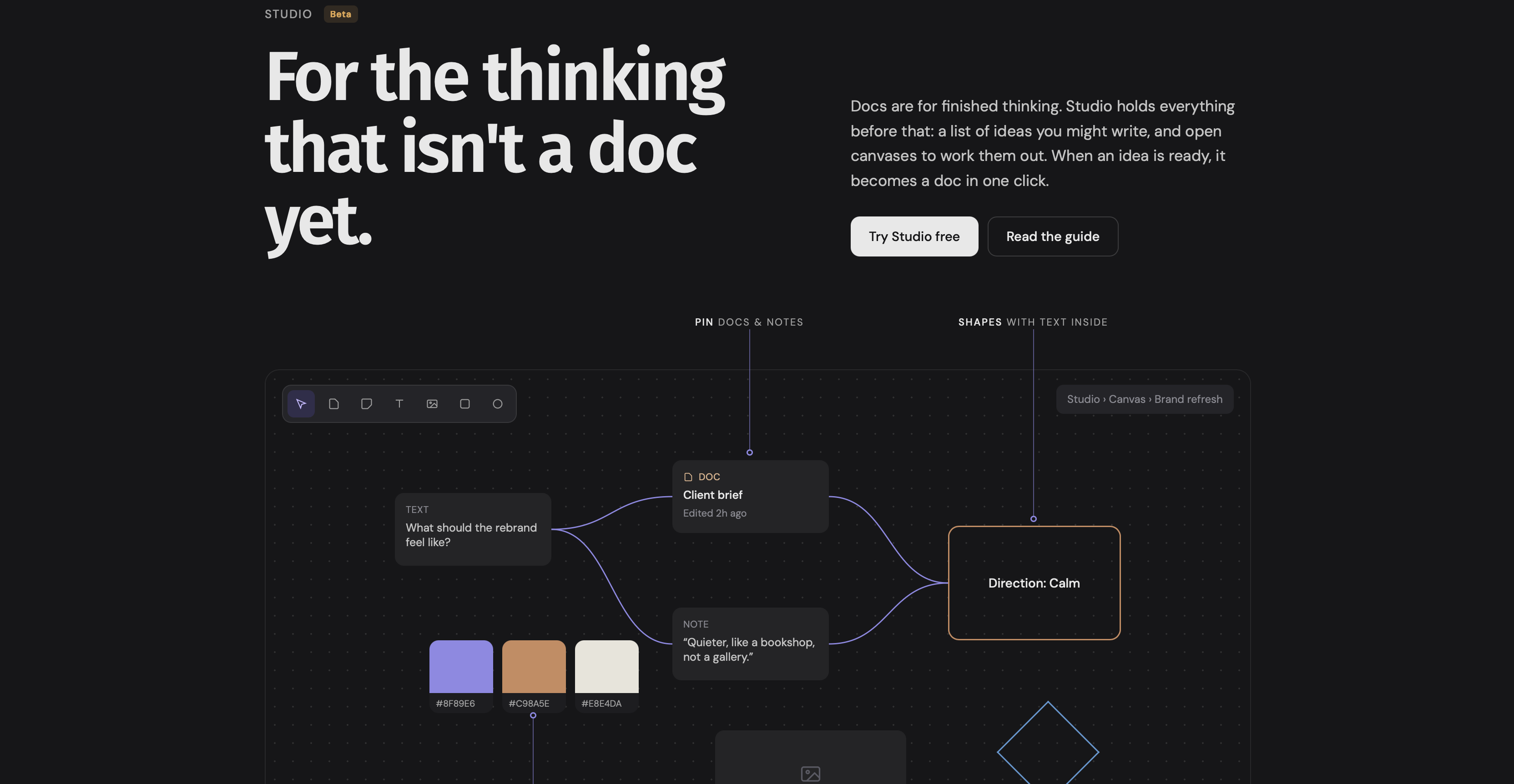
What it does have is a small set of tools that support writing: docs and folders, quick notes, templates, version history, and Studio, a space where you collect content ideas and turn any of them into a doc when you're ready to write.
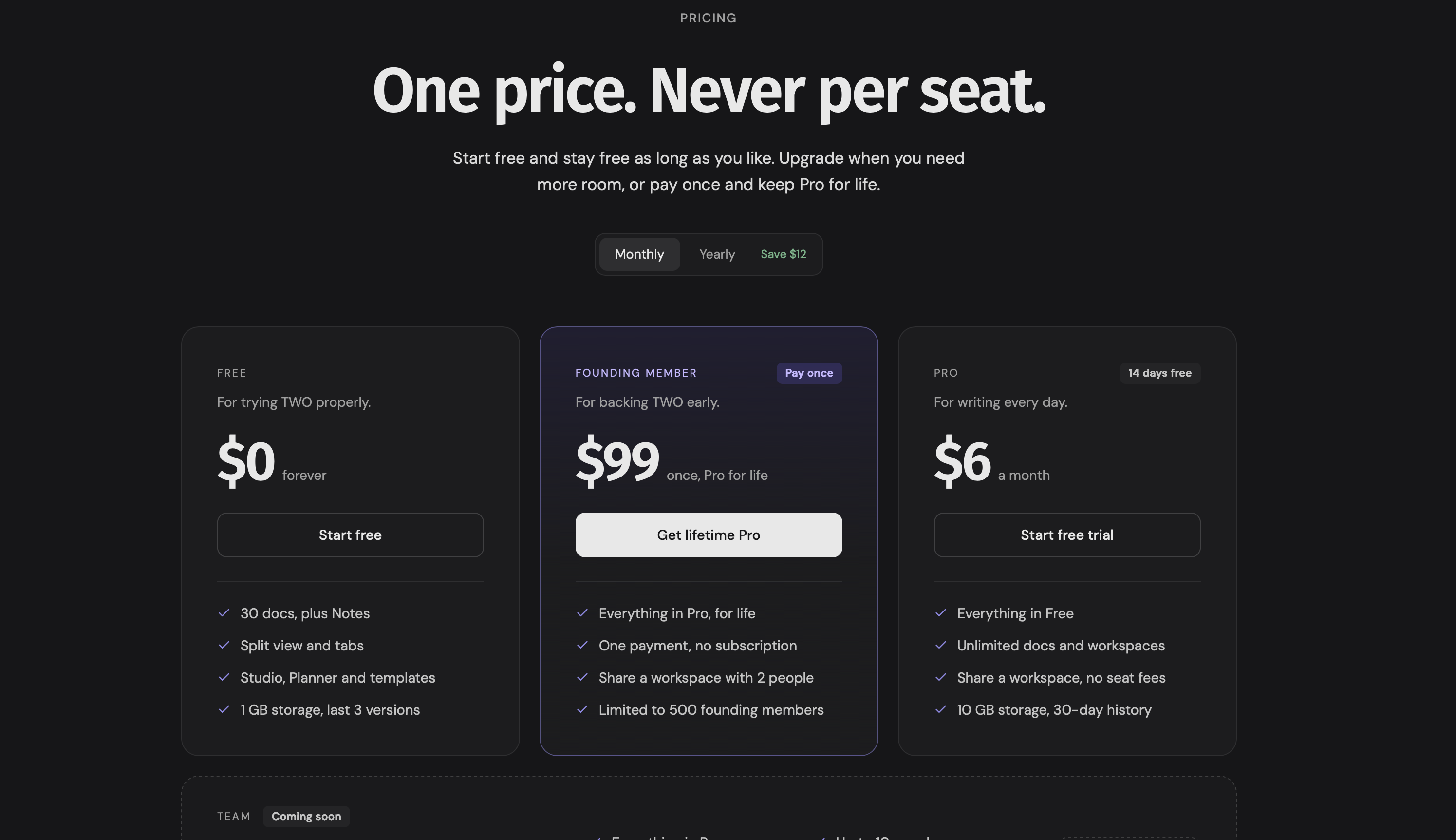
Pricing is flat, and the free plan covers your first 30 docs.
Two docs, one screen
The name keeps the application honest. TWO stands for two docs, one screen, and that will always be the core of the product.
Writing rarely happens in a single document. You draft with your outline open, edit against your research, or rework an old post with the original beside it. Split view puts both in front of you without juggling tabs or windows.
Every feature decision gets measured against that. If something makes working across two docs better, it's worth considering. If it pulls attention away from the page, it doesn't belong.
Why minimal keeps it robust
Keeping the product small isn't only a matter of taste. It's how TWO stays reliable.
Every feature adds code to maintain, edge cases to test, and new ways for something to break. As a solo founder, I'd rather spend my time making the editor fast and making sure your work saves every time than shipping features most people never open.
Fewer moving parts means fewer surprises. When you sit down to write, the tool should be the last thing on your mind.
Read also: The setup tax: why tool setup kills your writing
The endgame is iPad
Here's where all of this is going. I'm a heavy iPad user, and I write most of my first drafts on one before finishing the edits on my Mac. Every editor I tried on iPad felt distracting, bloated, or not built for writers in the first place.
I believe iPad writers have been underserved for years. There's no shortage of note apps, but a proper docs editor with a real split view, designed around the iPad, is hard to find. If one exists, few people have heard of it.
TWO runs in the browser today, on desktop and on iPad, and a native Mac and iPad app is in development.
The long-term goal is a native iPad app that makes TWO the natural place to write on an iPad. Every decision I make now is made with that in mind.
A final word
I know the docs editor space is crowded. I'm not trying to out-feature anyone. I'm building something smaller on purpose: a calm, reliable editor with two docs on one screen and zero AI.
If you've been looking for a quieter place to write, I'm building it for you.